Once installed, Fastpanel has only the single default PHP version that comes with the operating system — AlmaLinux 8, for example, defaults to PHP 7.2, and Ubuntu 20.04 to PHP 7.4. That may not match your requirements, or you may want several versions for different websites on the same VPS.
To do this you use Fastpanel's Multi PHP feature (already installed). To use it you need to install the additional PHP versions — install only the ones you need, to save resources.
The steps are as follows:
Step 1. Go to the application settings
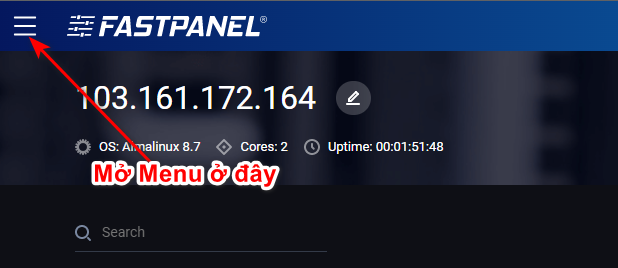
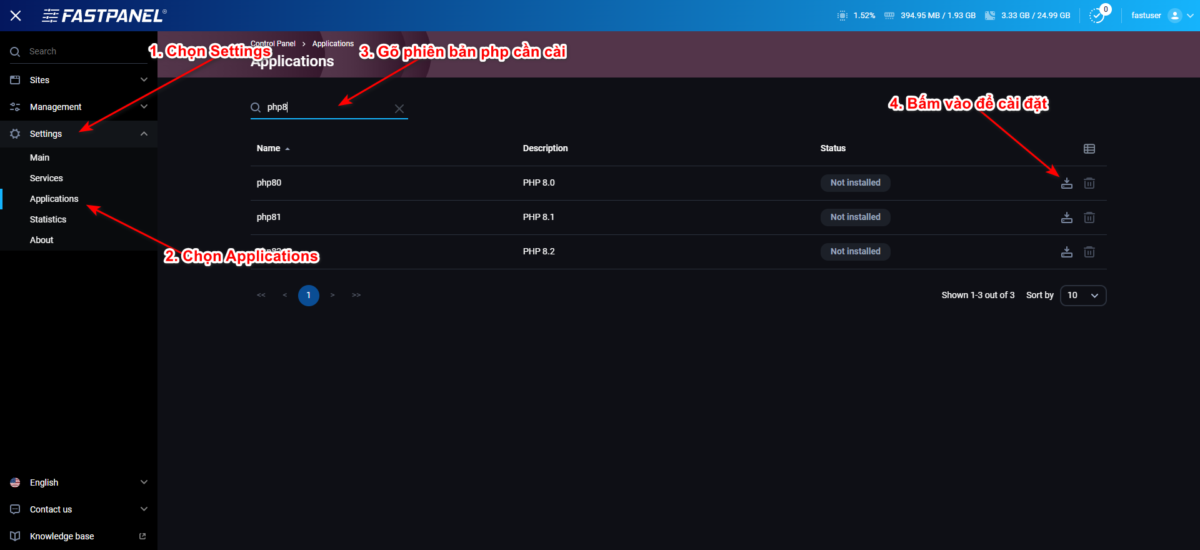
To install additional PHP versions, open the menu -> select Settings -> Applications
Step 2. Find the version you need and click install
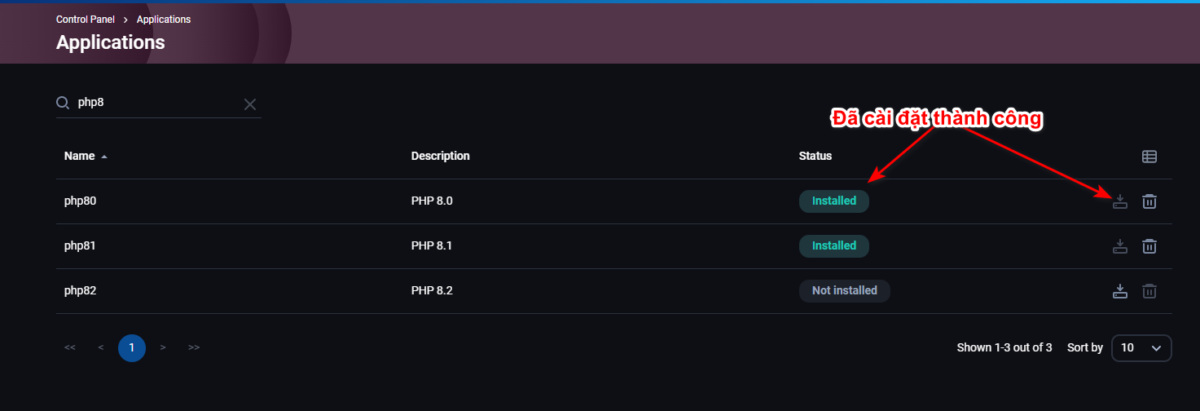
In the applications panel that appears, type the PHP version you need into the search box and click install. It takes only a moment. You can install several versions and use whichever one you need.
Once installation finishes the system reloads and shows the state below
Wishing you a successful installation